
01
Welcome & seat
Reservations, guest counts and a floor your team understands.
From the first reservation to the last cash count. Bring your floor, kitchen, people and back office into one shared rhythm.
Herb roasted chicken×2
Fresh lemonade×1
Try marking this sample ticket ready. No real order is sent.
Illustrative preview. Explore the real app below.
The floor knows what is ready. The kitchen sees what changed. The cashier sees the check. Your back office keeps the history.
Reservations, guest counts and a floor your team understands.
The same order, with the right details for each station.
Track arrivals, split the bill and reconcile the drawer.
Connect the day to stock, people and the books.
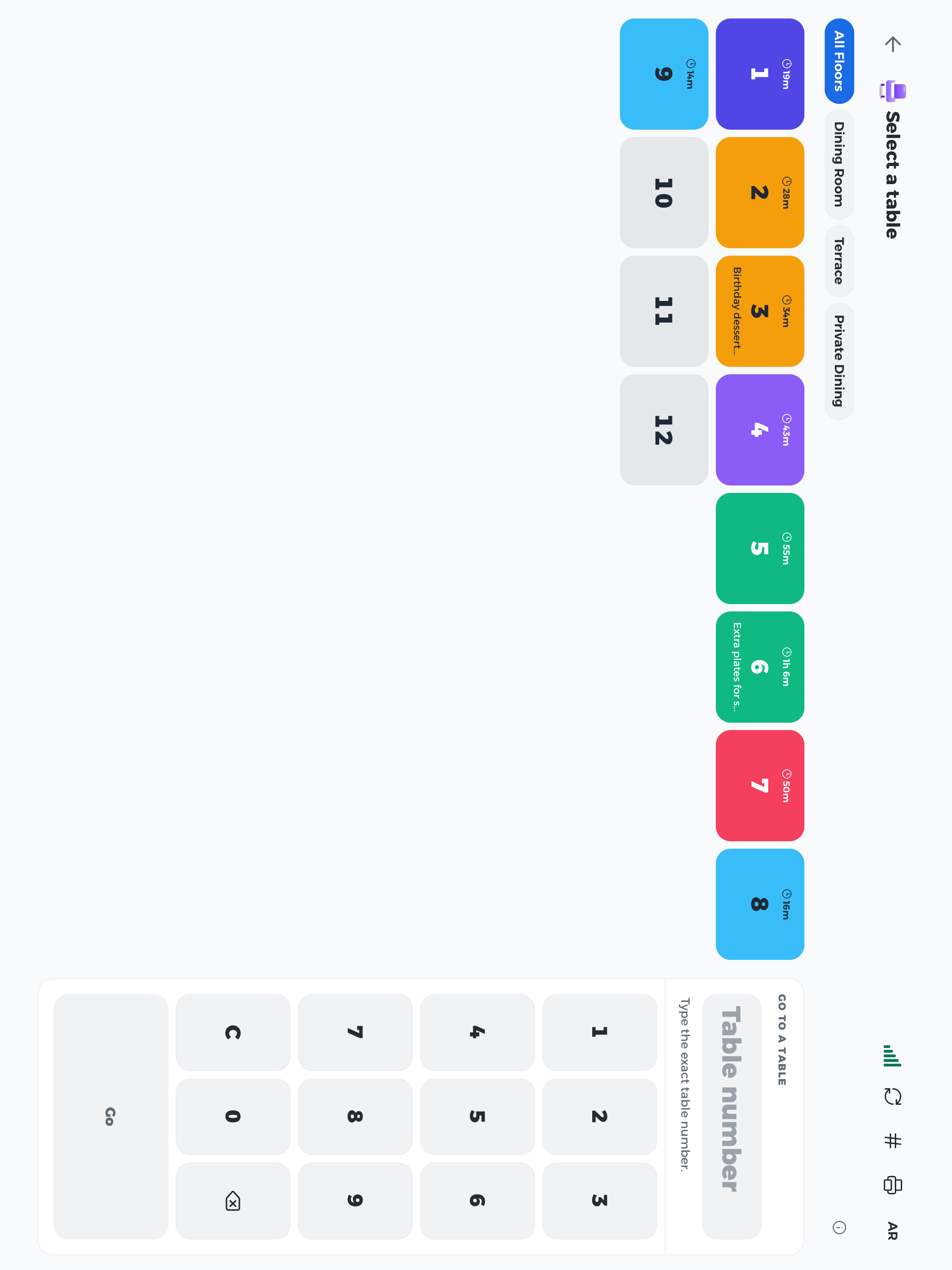
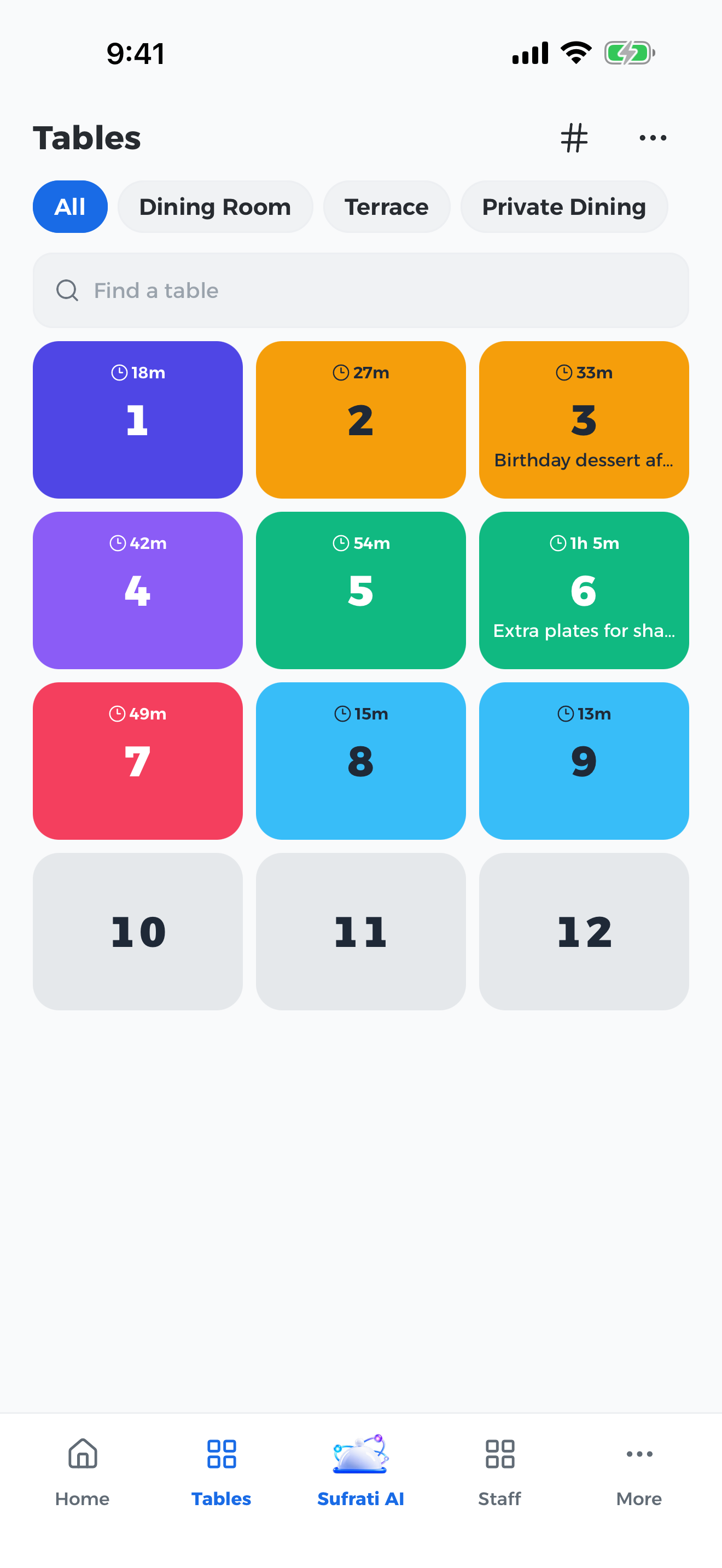
A shared restaurant, with an interface suited to the job and the screen. These are real screens from Le Voyage, our fictional demo restaurant.
Features and installation options depend on your role, device and venue setup.
Start with what your restaurant needs today. Explore the connected tools for everything around it.
Arrange rooms and tables, assign sections, and see seating, elapsed time and service progress together.
Dine-in, takeaway and delivery orders, with modifiers, courses, held items, table moves and joined tables.
Shared table context, guest counts, notes, staff assignments and item-level served quantities.
Manage categories, variants, modifiers, prices, availability, allergens and bilingual item names.
Route items to preparation stations, follow ticket age, and track ready items on a shared kitchen display.
Keep additions, quantity changes, voids and cancellations visible with the order they belong to.
Record partial service, packed takeaway items and handoff quantities instead of treating payment as delivery.
Network and supported local printers, station assignments, Arabic receipts, retries and delivery review.
Split bills, accept configured payment methods, handle tips, discounts, returns and refunds with permissions.
Cashier shifts, opening counts, cash movements, handoffs, multiple currencies and closing reconciliation.
Daily close reports, archived report packs, adjustments and audit trails keep the day’s numbers explainable.
Books, expenses, payables, cash position, tax summaries and branch reports in the back office.
Stock items, units, storage locations, counts, batches and expiry information in a structured catalog.
Recipes and unit conversions connect menu items with stock usage and food-cost visibility.
Follow purchasing documents, receiving, supplier balances and stock transfers without losing the paper trail.
Prepare barcode labels, scan stock, record waste and identify items that need replenishment.
Profiles, roles, permissions, attendance and individual work history stay connected.
See check-ins, checkouts and multiple daily work sessions; review missing or ambiguous entries.
Team messages, attachments, voice notes and configured voice/video calls alongside work.
Bring attendance, payroll records and tip-pool management into the same back office.
Plan arrivals, track party sizes, seat bookings and manage the waiting list.
Branded QR menus, item details and guest ordering where enabled—without a guest app install.
Customer profiles, visit and order history, loyalty, coupons, promotions and gift cards.
Manage configured guest Wi‑Fi access and valet tickets from the restaurant workspace.
Sales, orders, covers, open checks, adjustments and cashier breakdowns provide a clearer daily view.
Owner, manager and accountant views, menu engineering, staff productivity and exports.
Ask business questions and use supported menu, document and media assistance when configured.
Give staff the tools their work needs, with branch scope, approval boundaries and audit history.
Web, handheld and desktop clients share the same restaurant records; supported LAN setups keep local service reachable.
Printer status, attendance-terminal integration, network health and operational diagnostics help resolve interruptions.
Try a different word or clear the filters.
Some capabilities require configuration, supported hardware or a third-party service. We confirm the complete setup with you before rollout.
English and Arabic across the staff experience, bilingual menus and Arabic printing. Clear for the people serving, preparing and paying.
Sufrati runs in a web browser, with dedicated desktop and mobile clients. We check your operating systems, printers, network and attendance hardware during setup before promising compatibility.
A configured local server and LAN can keep on-site restaurant operations reachable when the internet is unavailable. Remote access, cloud services and online integrations still need connectivity. Setup and recovery behaviour are verified for your venue.
English and Arabic are built into the restaurant experience, including right-to-left layouts and Arabic printing. Your own menu names, descriptions and customer-facing content can be maintained in both languages.
We review your catalog, units, recipes, suppliers and opening stock with you. Imports are mapped and checked before going live; missing recipes and ambiguous product matches need review rather than guesswork.
No. Roles, permissions and branch assignments determine access. A waiter, cashier, chef, manager and accountant can each work with a different set of tools.
Start with a guided walkthrough. We review your branches, users, devices, integrations and migration needs, then provide a quote for that setup. This page does not promise every hardware or third-party service is included in one price.
Bring your menu and tell us how your team works. We’ll walk through the floor, kitchen and back office with you.